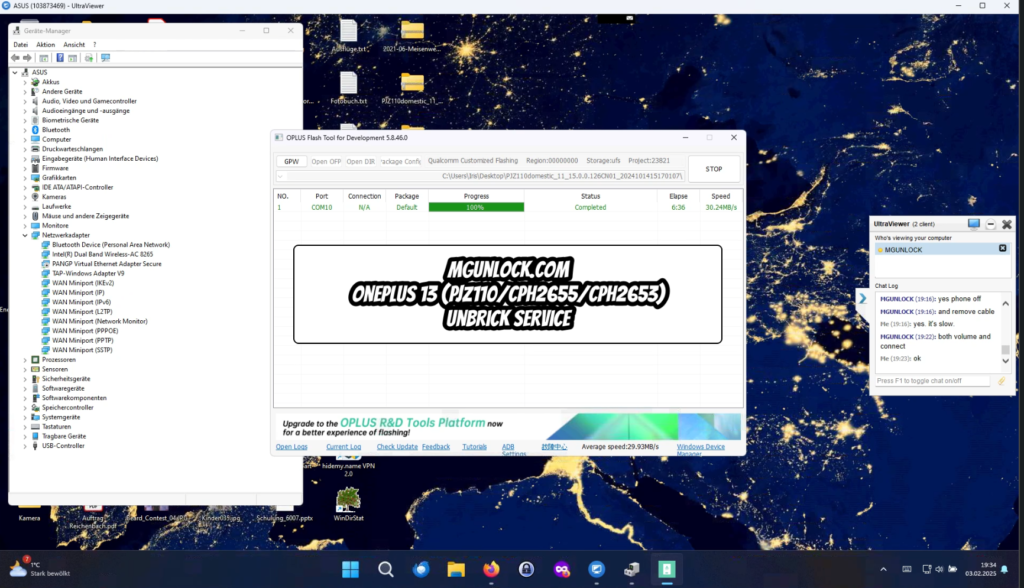
How to Unbrick OnePlus 13 PJZ110 firmware CPH2655 firmware CPH2653 firmware – Stock ROM Firmware (Flash File)
Restore your OnePlus 13 PJZ110 to full functionality with the official stock firmware. This flash file is designed to resolve various software issues, including boot loops, FRP lock, Fastboot mode errors, lost recovery, black screen in EDL mode, white screen after flashing, and even devices that appear completely unresponsive. Follow this process to bring your device back to life with a smooth and reliable firmware installation
Prerequisites for How to Unbrick OnePlus 13
Before proceeding with the unbricking process, make sure you have the following:
- MSM Tool: The official Mobile Software Management tool from OnePlus. Download it from official OnePlus sources or authorized distributors. Ensure you have the correct version specific to the OnePlus 13.
- Windows PC: The MSM Tool runs on Windows (Windows 7 or later).
- USB Cable: A high-quality USB cable to connect your OnePlus 13 to the PC.
- Battery Charged Above 10%: While not mandatory, keeping your device charged helps prevent interruptions.
- Qualcomm Drivers: Essential for enabling communication between your device and PC. Install them before proceeding.
- Firmware for OnePlus 13: Ensure you have the correct stock firmware for your model. Download it from trusted sources or official OnePlus support channels.
Step-by-Step Guide to How to Unbrick OnePlus 13 Using MSM Tool
1. Download and Install the MSM Tool
- Download the MSM Tool compatible with the OnePlus 13.
- Extract the ZIP file to a folder on your PC.
2. Install Qualcomm USB Drivers
- Open Device Manager on your Windows PC.
- Right-click the Start Menu, then select Device Manager.
- Look for Unknown Device or OnePlus 13 under the “Ports” or “Other Devices” section.
- Right-click it, select Update Driver, and install Qualcomm USB drivers from a trusted source like the Qualcomm website.
3. Boot OnePlus 13 into EDL (Emergency Download Mode)
To communicate with the MSM Tool, the device must be in EDL mode:
- Power off the OnePlus 13 completely.
- Hold down the Volume Up button and connect the phone to the PC using a USB cable.
- Once connected, the device should enter EDL mode, and the MSM Tool should detect it automatically.
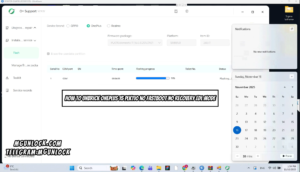
4. Launch the MSM Tool
- Open the MSM Tool that you downloaded earlier.
- The interface should detect your connected device.
- If the tool does not recognize your device, verify that the Qualcomm drivers are correctly installed and try again.
5. Start the Unbricking Process
- Click on the Start or Download button in the MSM Tool to begin flashing.
- The tool will now start flashing the firmware to your OnePlus 13.
- This process may take several minutes, depending on your computer’s speed.
6. Wait for the Process to Complete
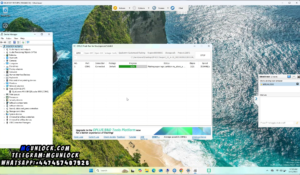
- The MSM Tool will display progress in percentage.
- Do not disconnect your device until the process is fully complete, as doing so may cause further software corruption.
7. Reboot the Device
- Once the MSM Tool confirms that the flashing process is complete, safely disconnect your OnePlus 13 from the PC.
- Your device should now boot into the operating system, fully unbricked.
- If it doesn’t boot immediately, give it a few minutes to initialize.
Troubleshooting Tips
- Device Not Entering EDL Mode?
- Double-check the steps and try a different USB cable or port.
- MSM Tool Doesn’t Detect the Device?
- Ensure that Qualcomm drivers are installed correctly. Restart both the PC and your OnePlus 13, then try again.
- Flashing Fails Mid-Process?
- Retry the procedure or use a different firmware version.
- If the issue persists, perform a factory reset after unbricking.
Firmware Download to Unbrick OnePlus 13
China Version
pjz110domestic_11_15.0.0.126cn01_2024101415170107.zip Download from Here
Global Variants:
CPH2653GDPR_11_15.0.0 Download from Here
CPH2655_11_15.0.0 Download from Here
Tools
This is a Paid tool authorization is required.
Password: mgunlock.com
You can use our service below to unbrick OnePlus 13 5G
Contact Us on Telegram from here or WhatsApp from here If you need help.
Qualcomm, MTK platform – USB driver installation
- Download the driver file From Here
- Double-click to install (the default path does not need to be changed)
- Pop up a security window (always allow installation)
- Select restart the computer now
- Complete
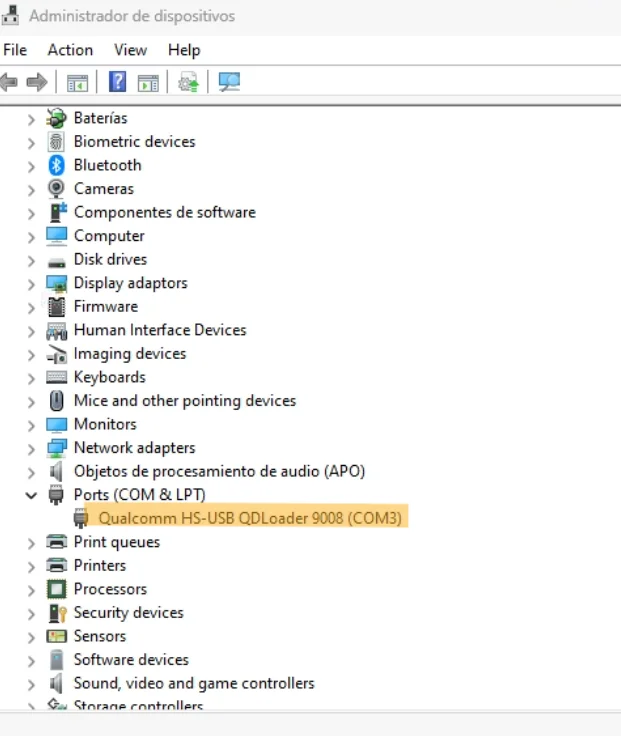
How to reboot EDL
- Connect one end of the USB cable to your PC.
- Then connect the other end to your device.
- Now press and hold the Volume Up, Volume Down. after the software launches, remove your hands (or when you see qualcomm 9008 appear in device manager)
How To Unbrick OnePlus 13
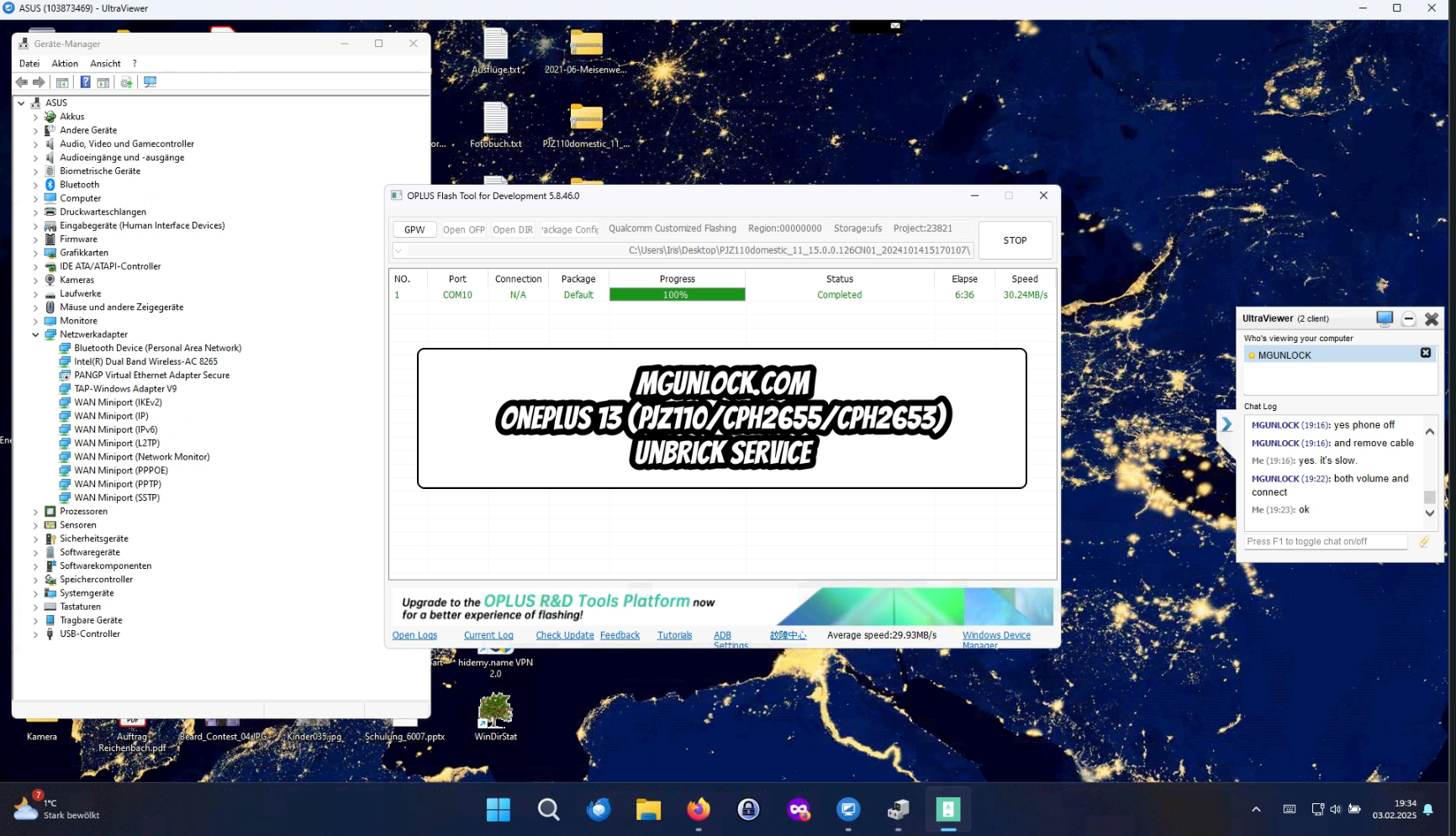
- Download, Extract ROM File & tool in same folder
- Qualcomm_Drivers_QDLoader driver on your computer
- Login OplusFlashTool.exe
- Select Firmware
- Click “Start” button
- Conect Phone to PC, Enter EDL Mode
- Wait until success, once done. Unplug device and switch it ON >>>Done All
- Thats all you need to know For How to Unbrick OnePlus 13
7 Responses
the firmware files have a password to unzip
its paid contact us at telegram or WhatsApp for unbrick
Ola, quería saber o seu prezo.
Hi, I wanted to know your price.
Appreciate this post. Will try it out.
I have been checking this platform regularly and the content quality keeps getting better every month. The user experience is clean and the navigation makes it easy to find exactly what I need without wasting time. Updates come in fast and the whole service feels professional without being overly corporate. It is a reliable go to when I want accurate updates and a smooth browsing experience
This discussion feels approachable and nicely arranged, making the content easier to understand while still encouraging thoughtful interaction from readers