

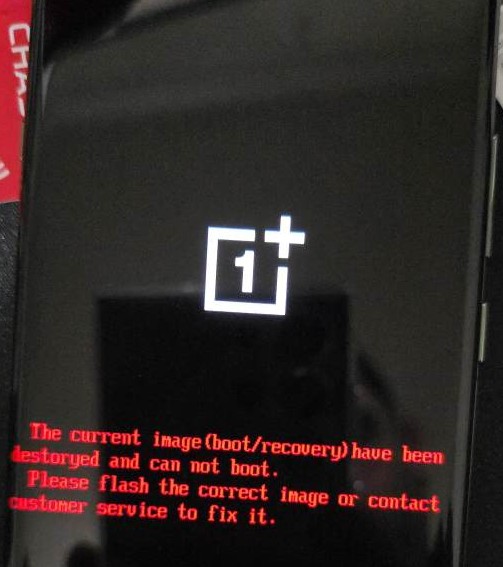
oneplus Ace 6 unbrick – PLQ110 firmware
80$
OnePlus Ace 6 (PLQ110) Unbrick Service
oneplus Ace 6 unbrick
Device: OnePlus Ace 6
Model: PLQ110
Why Choose Our Unbrick Service?
Over five years of experience restoring devices with boot errors, stuck logos, or hard-brick issues.
A dedicated technical team providing international support through MGUNLOCK.COM.
Safe and reliable — full refund if we cannot complete the process.
Works with all carriers. Typical processing time ranges from 10 to 30 minutes, depending on connection and device condition.
OnePlus Ace 6 EDL PLQ110 Firmware Download:
PLQ110domestic_11_16.0.0.204CN01_2025101502180401
OnePlus Ace 6 PLQ110 Firmware – PLQ110 Firmware (Flash File) for the OnePlus Ace 6 PLQ110 EDL resolve System destroyed message Stuck fastboot And recovery, bootloop (including issues with Fastboot or Recovery), unresponsive EDL mode (black screen), or display issues (such as a white screen) that may occur after flashing, as well as problems with a dead device following a flash.
How to Unbrick OnePlus Ace 6 PLK110
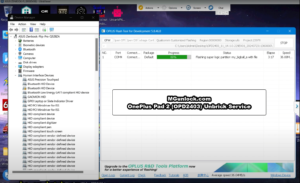
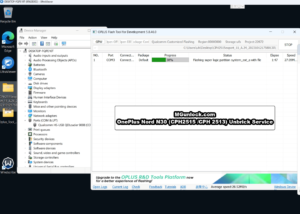
- Extract The ROM File & tool in same folder
- Install Qualcomm_Drivers_QDLoader driver on your computer
- Login OplusFlashTool.exe
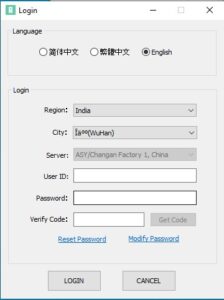
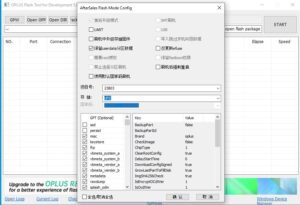
- Select Firmware
- Click “Start” button

- Conect Phone to PC, Enter EDL Mode

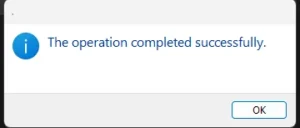
- Wait until success, once done. Unplug device and switch it ON >>>Done All

Qualcomm, MTK platform – USB driver installation
- Download the driver file for oneplus Ace 6 unbrick from Here
- Double-click to install (the default path does not need to be changed)
- Pop up a security window (always allow installation)
- Select restart the computer now
- Complete
How to reboot EDL
- Connect one end of the USB cable to your PC.
- Then connect the other end to your device.
- Now press and hold the Volume Up, Volume Down. after the software launches, remove your hands (or when you see Qualcomm 9008 appear in device manager) Follow this process for oneplus Ace 6 unbrick easily.


Only logged in customers who have purchased this product may leave a review.
Reviews
There are no reviews yet.